
Table Selection & Management
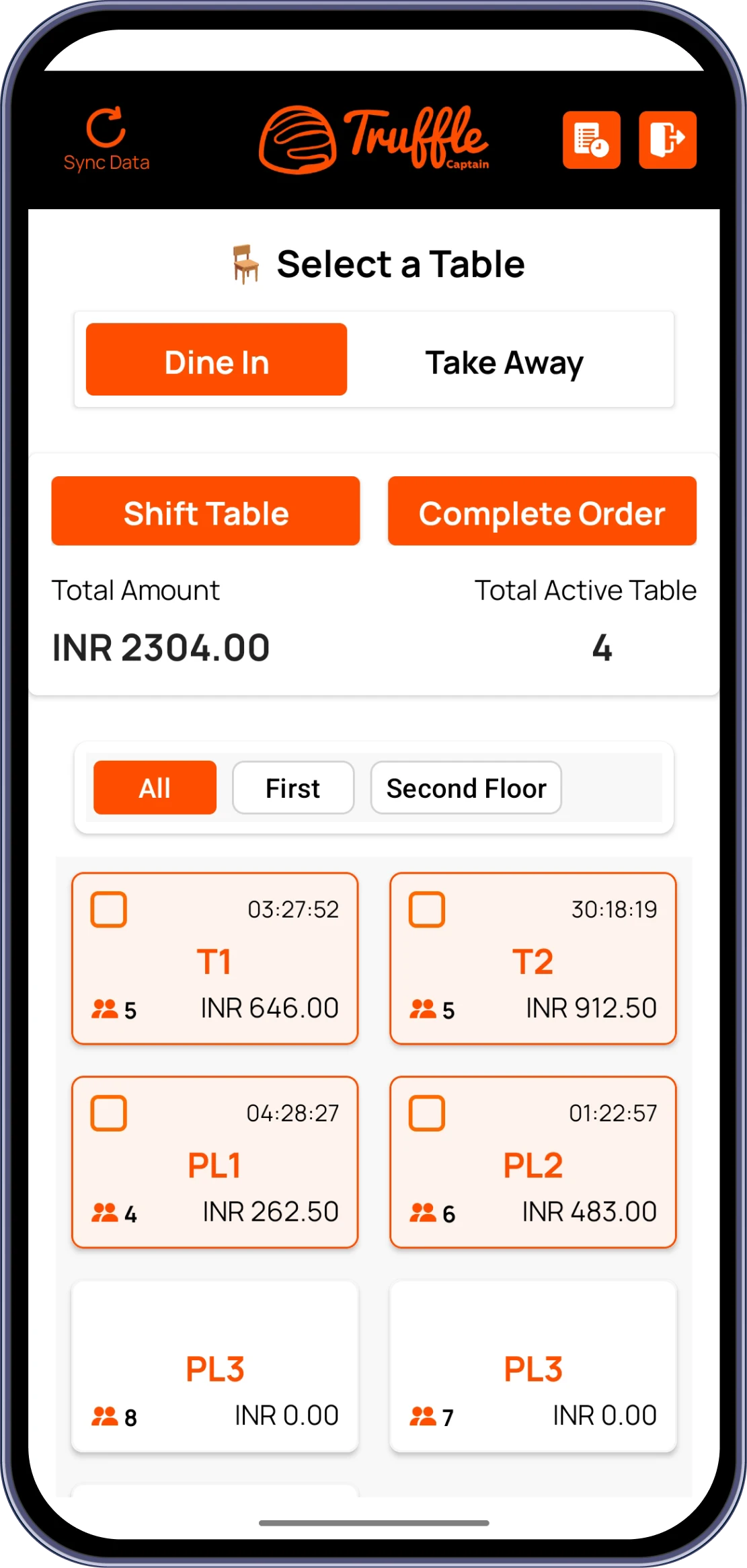
Staff can view real-time table status, occupancy time, and running bills. Tables can be shifted, filtered by section, and switched between Dine-in/Take Away.
Staff see live table status and manage seating flexibly, while diners browse, filter by preference, and check out all inside the same table-side experience.
Book A Demo
Staff track table status, occupancy time, and running bills in real time, with the flexibility to shift tables, filter by section, or switch between Dine-in and Take Away as the floor changes.
Staff can view real-time table status, occupancy time, and running bills. Tables can be shifted, filtered by section, and switched between Dine-in/Take Away.

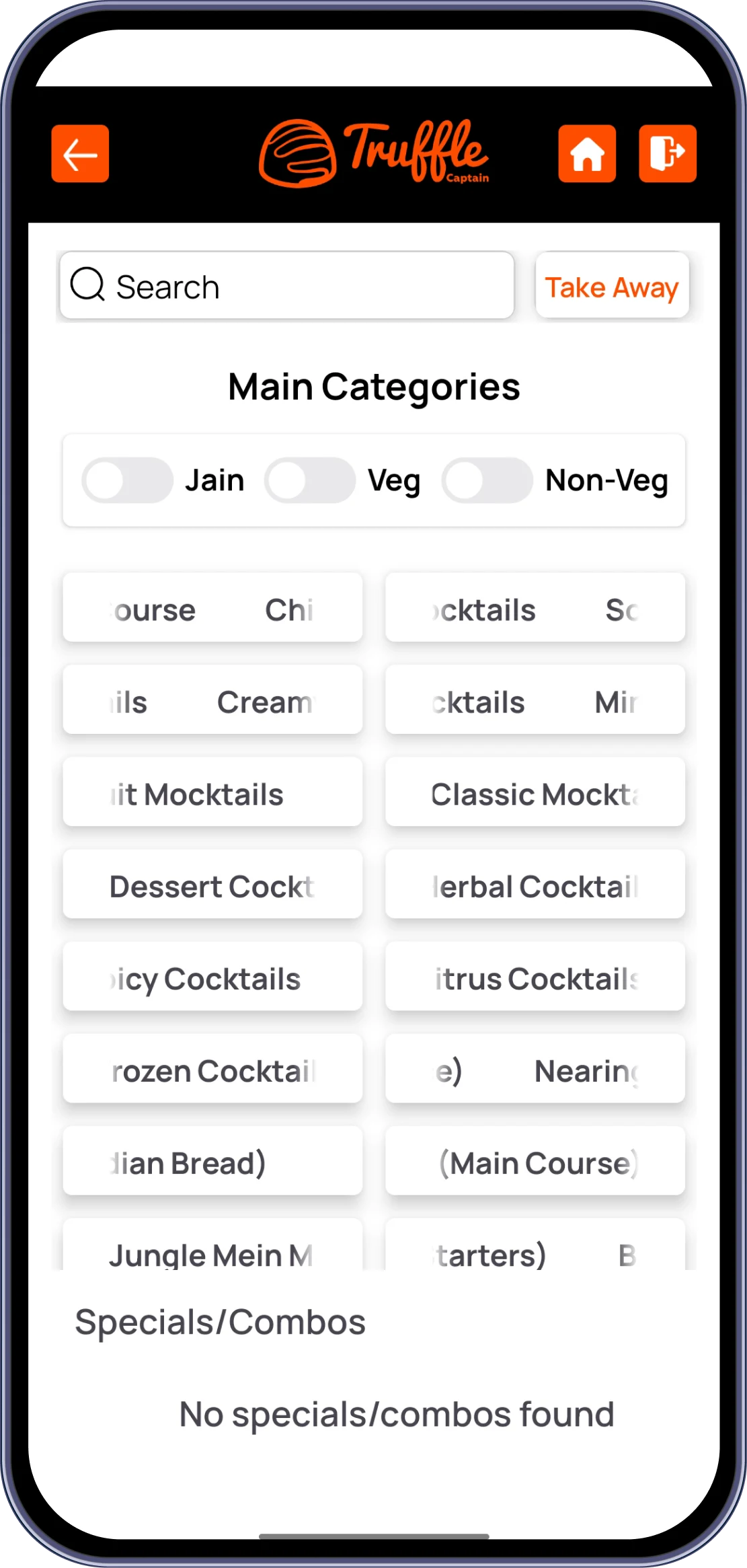
Staff browse categories with instant Jain, Veg, and Non-Veg filtering options. Specials and combos are highlighted for quick upsell opportunities.

A powerful search function helps staff quickly locate specific menu items. This speeds up order placement, especially during high-volume periods.

Staff add items using simple '+' and '-' controls, with a running subtotal shown. This minimizes order errors and keeps the process fast and accurate.

Checkout displays Sub Total, applicable discounts (e.g., Membership/MLP), and tax. This ensures transparent and accurate billing for every order.

Staff can capture customer details, apply coupon codes, and choose Pay Later or Pay & Close Order. This offers flexibility based on customer preference.

Split or merge bills, edit and cancel orders, and manage multiple tables at once with NFC/RFID, waitlist, and payment integrations built in for whatever the shift throws at staff.
Ten core capabilities that make Truffle Captain the only tool your front-of-house needs.

Captain downloads the Truffle Captain app from the iOS App Store or Google Play Store. The app installs and opens to the Sign-In screen.

Captain enters their registered mobile number to initiate sign-in. This links the session to their assigned staff profile.

A One-Time Password is sent to the captain's mobile number for verification. Entering the correct OTP grants secure access to the main app interface.

The app confirms the captain's assigned role and outlet/branch access. This ensures staff only manage tables and orders relevant to their section.

Captain views the Table Selection screen showing active tables and sections. They familiarize themselves with Dine-in/Take Away toggle and section filters.

Captain explores Main Categories along with dietary filters and search function. This helps them quickly locate items during actual order-taking.

Captain places a few test orders using item selection and modifier options. This ensures comfort with the '+' / '-' controls and subtotal tracking.

Captain is trained on generating bills, applying discounts/coupons, and payment options. This includes understanding Pay Later vs. Pay & Close Order flows.

Captain begins taking live customer orders and managing real tables. Orders are sent directly to the KDS, confirming kitchen sync is working correctly.

Once comfortable, the captain is fully onboarded for daily live use. Ongoing support is available for troubleshooting or feature clarification.
From cozy cafes to bustling fine-dine Restaurants, we support all outlet types for seamless operations and growth!





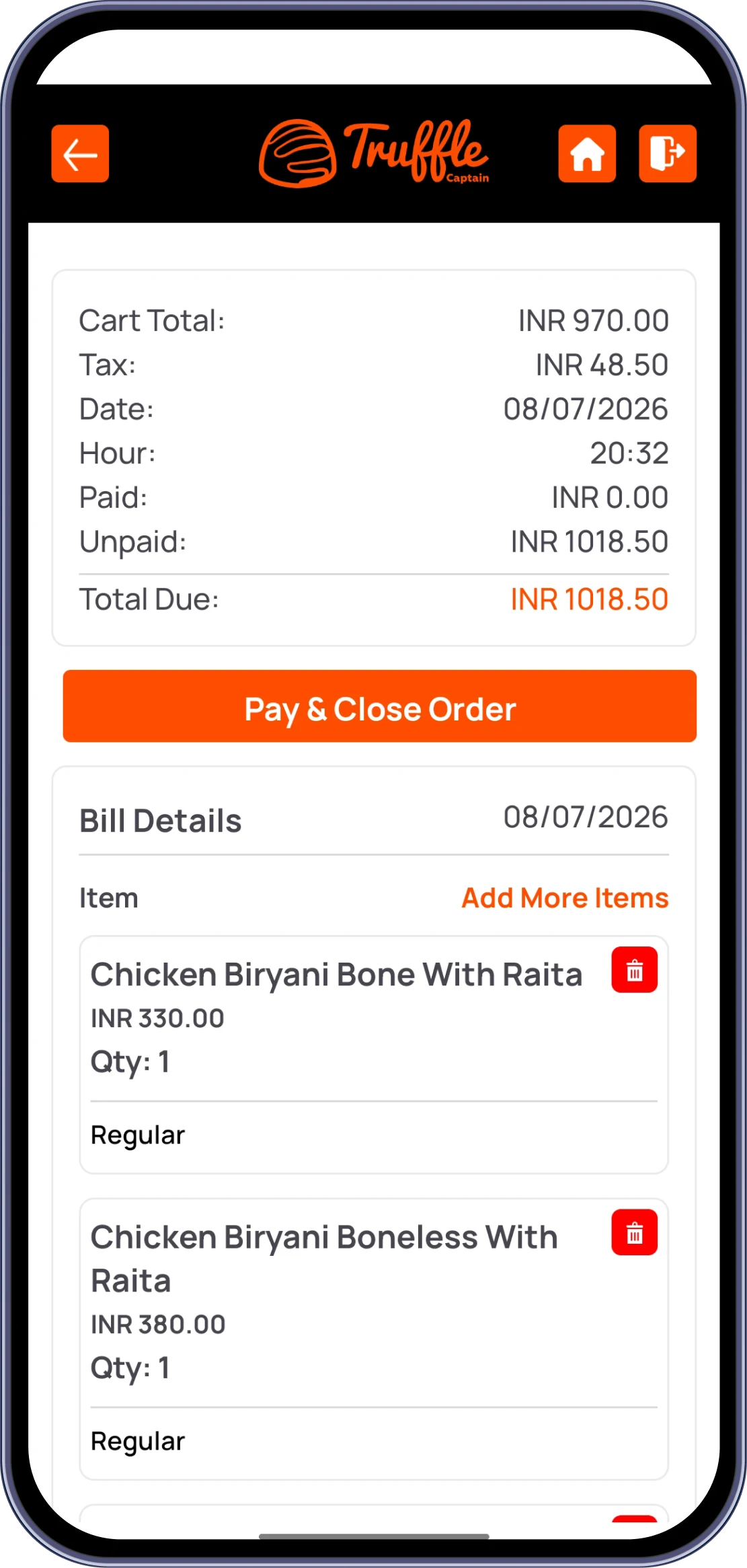
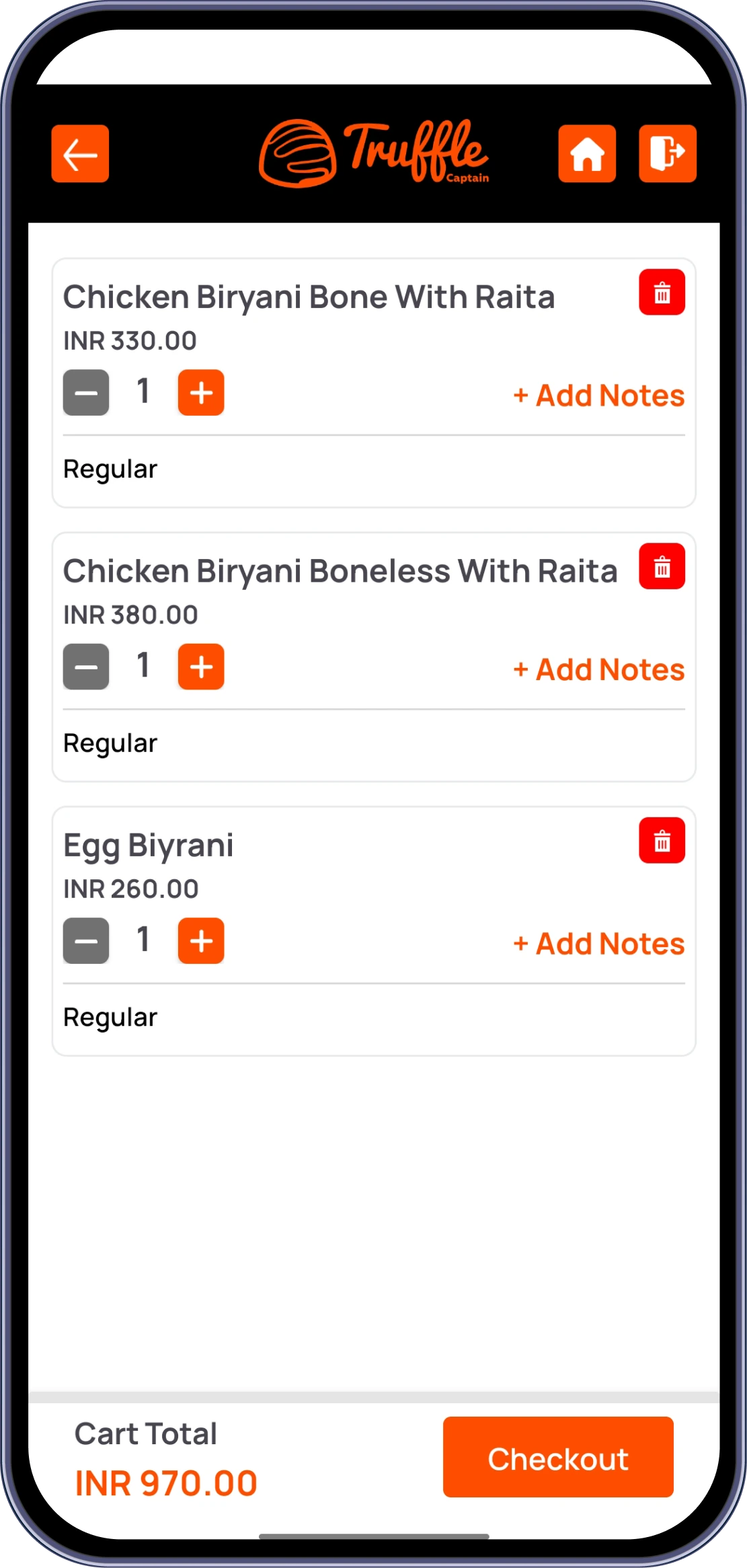
Takeaway orders use a Pay Now flow. If the payment is not completed, the order is not confirmed. Retry the payment from the Payment Types screen (Cash, Card, UPI, or Credit). If the payment failed partway through, check the order status before retrying to avoid creating duplicate orders. Complete the payment to confirm the order.
To shift a table: 1. On the Home screen, tap the customer's current table. 2.Tap the Shift Table button. 3. Select an available table from the list. 4. Tap Shift or Switch to confirm. The order will be moved to the new table, and the previous table will be released. Note: A table can only be shifted after an order has been placed.
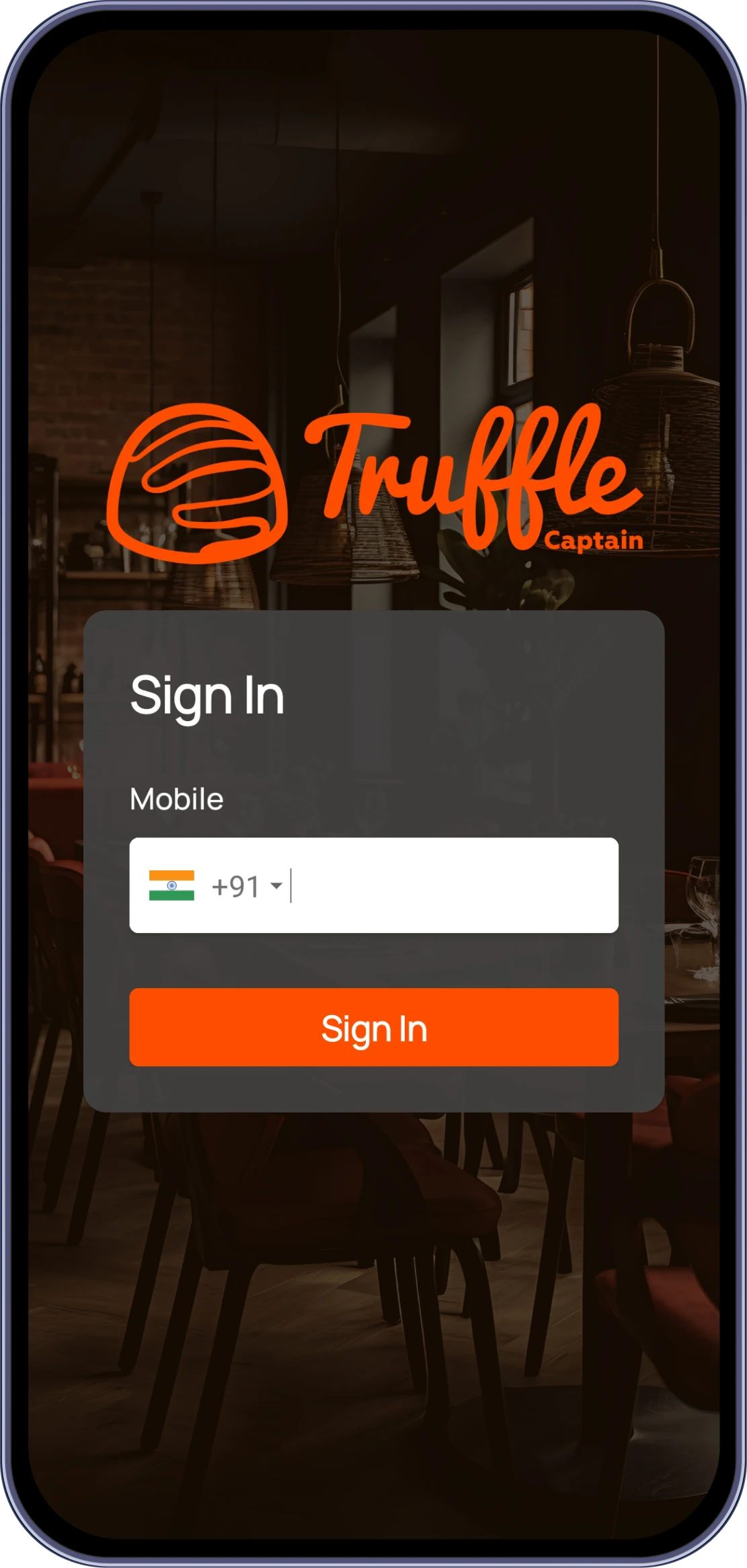
After successful verification, you will be redirected to the Sign In screen. Enter your registered mobile number and tap Sign In. An OTP will be sent to your registered WhatsApp number. Enter the OTP on the OTP Verification screen and tap Verify. Once verified, you will be logged in and redirected to the Home screen.
If the app crashes during order entry, try the following steps: 1. Close and reopen the app. 2. Ensure your device has sufficient available RAM by closing unnecessary background apps. 3.Check for app updates and install the latest version. 4.Clear the app cache (Settings → Apps → Truffle Captain → Clear Cache). 5.Reopen the app and tap Sync Data to refresh the latest data. 6.If the issue persists, uninstall and reinstall the app. 7.Contact Truffle Support if the app continues to crash. Be sure to provide details about when and where the issue occurs.
You can enable Offline Mode from the Settings section in the Truffle Captain app. Open Settings, locate the Offline Mode option, and enable it. Before switching to Offline Mode, always tap Sync Data on the Home screen to download the latest menu items and categories. This ensures that the most up-to-date menu information is available while working without an internet connection.
Pay Later is the default billing option for dine-in orders in Truffle Captain. When a waiter places a dine-in order, they select Pay Later to send the order to the kitchen without collecting payment immediately. The customer can enjoy their meal and pay before leaving. Pay Later is mandatory for dine-in orders because it activates the order and keeps the table open. When the customer is ready to pay, use Pay & Close Order to generate the bill, collect the payment, and close the order.
Experience the future of transactions! Schedule a demo today and witness how our POS solution can revolutionize your business.