
Real-Time Order Receiving
Orders from kiosk, website, app, and POS appear instantly on the KDS screen. This eliminates delays caused by manual order relay.
Orders update in real time across every connected screen, so the kitchen is always working off the same live queue, not a delayed one.
Book A Demo
Orders from kiosk, website, app, and POS land on the KDS in real time, so nothing depends on a staff member relaying it manually.
Orders from kiosk, website, app, and POS appear instantly on the KDS screen. This eliminates delays caused by manual order relay.

Kitchen staff can mark orders as Preparing, Ready, or Served. Status updates sync automatically with POS and customer-facing platforms.

A record of completed and past orders is maintained for reference. This helps in resolving disputes or reviewing performance.

Orders can be sorted by time, order type, or urgency level. This helps staff manage workload efficiently during peak hours.

Orders are routed to specific kitchen stations based on item type. This helps divide workload and speeds up parallel preparation.

Timers and alerts flag orders before they fall behind, offline mode keeps the kitchen going through an outage, and unlimited users and terminals mean the system scales with you instead of charging for it.
Five core capabilities that make Kitchen Display System the only tool your front-of-house needs.

The KDS screen/device is installed at the designated kitchen station. Power and network connections are set up for stable operation.

The KDS device is linked to the restaurant's existing Truffle account. This connects it to the POS, kiosk, website, and app systems.

Kitchen stations such as grill, salad, or dessert are set up within the system. Menu items are mapped to their respective stations for routing.

Menu items and their modifiers are synced from the admin panel to the KDS. This ensures accurate display of customizations for every order.

Order sorting, color-coding, and timer settings are configured as needed. This is adjusted based on kitchen workflow and staff preference.
From cozy cafes to bustling fine-dine Restaurants, we support all outlet types for seamless operations and growth!





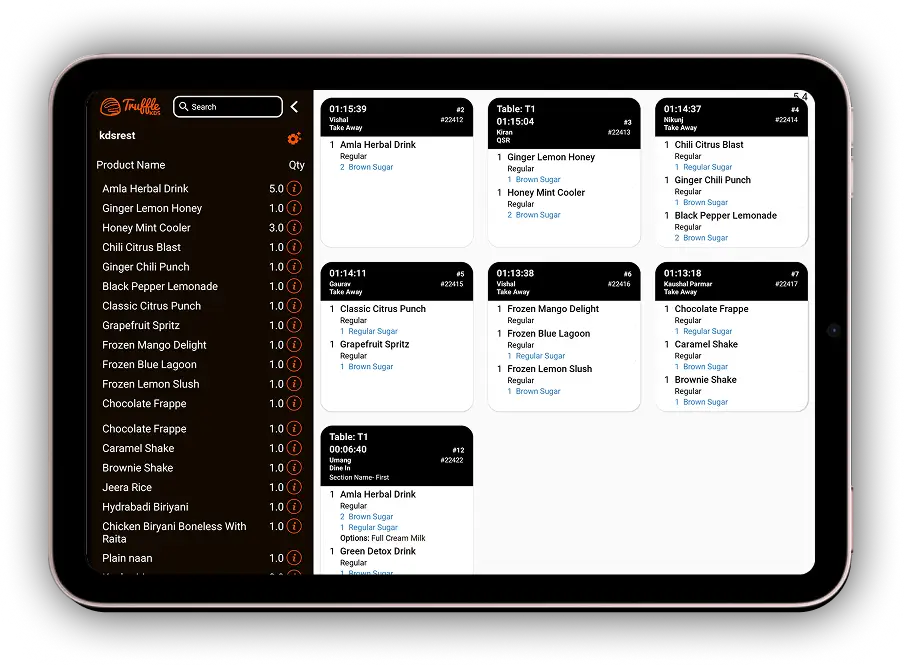
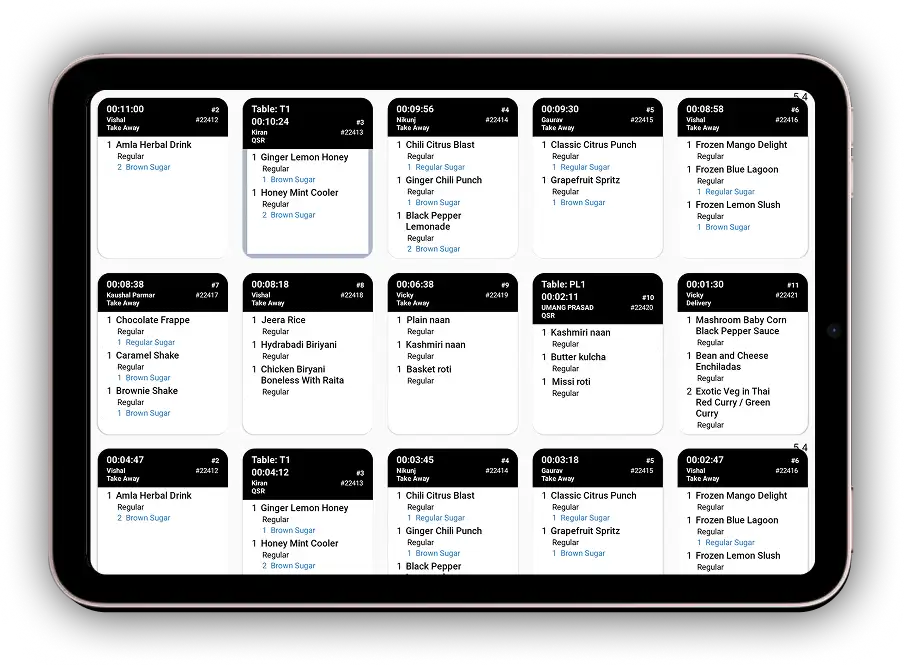
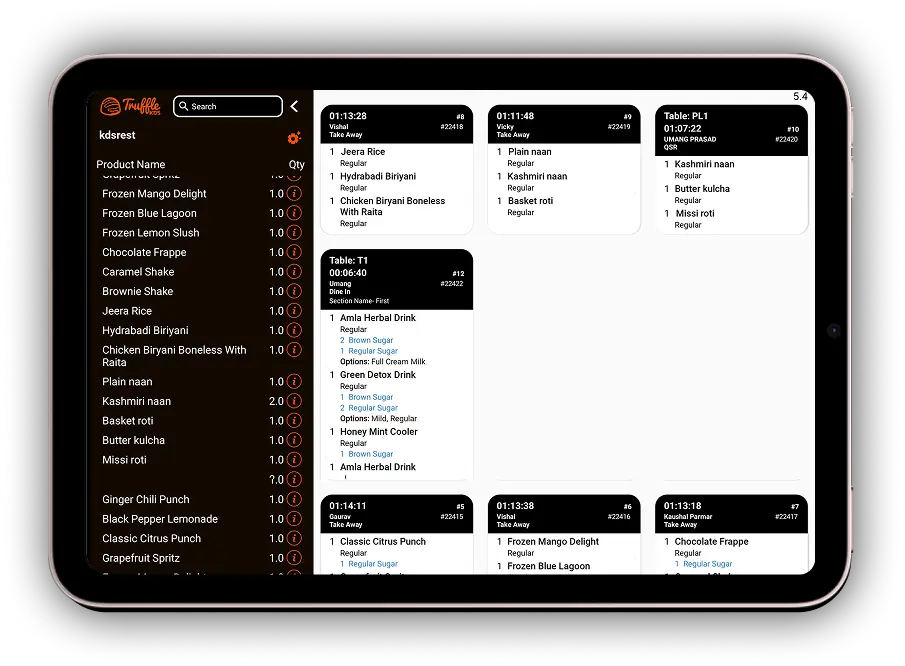
KDS (Kitchen Display System) is a digital screen-based system used in restaurant kitchens to receive, display, and manage food orders in real time. Instead of using paper tickets, orders from the POS, Kiosk, QR Ordering, and other integrated platforms are displayed on the KDS screen, helping kitchen staff prepare and track orders more efficiently.
In Truffle KDS, the Back and Previous buttons are both used for navigation. Each screen displays a maximum of 10 orders. If you have navigated to the next page using the Next button, tapping either Back or Previous will take you to the previous page of orders. There is no functional difference between the two buttons—they both perform the same action.
To return to the previous page of active orders in Truffle KDS, tap the Back or Previous button on the main KDS screen. Each page displays up to 10 active orders. If you are already on the first page, there are no previous pages to navigate to. To view completed orders, use the Order History in the POS system.
If Jain food items are not appearing on the KDS: 1.Go to bo.trufflesystems.in → Menu Management and verify that the item is tagged as Jain. 2.Confirm that the KDS station is configured to display Jain items. 3.Tap Refresh on the KDS screen. 4.Place a test Jain order to verify the configuration. If the issue persists after these checks, contact Truffle Systems Support for assistance.
Tap the Next button located on the bottom toolbar of the KDS screen. Each page displays up to 10 orders. The page number shown at the bottom of the screen will increase as you move to the next page. To return to the previous page, tap the Back or Previous button.
Bump Order SMS is a setting available in Truffle KDS. When this feature is enabled, customers automatically receive SMS notifications about their order status, such as "Your Order is Placed" or "Your Order is Ready," when the kitchen updates (bumps) the order status. When the feature is disabled, no SMS notifications are sent. This helps restaurants keep customers informed automatically without manual communication.
Experience the future of transactions! Schedule a demo today and witness how our POS solution can revolutionize your business.